
After many websites go live, Google does not index them for a long time. One important reason is:
Not submitting a Sitemap.
Sitemap Can be understood as:
“Telling Google which pages on your website need to be crawled.”
First: Ensure your website is set to open indexing status
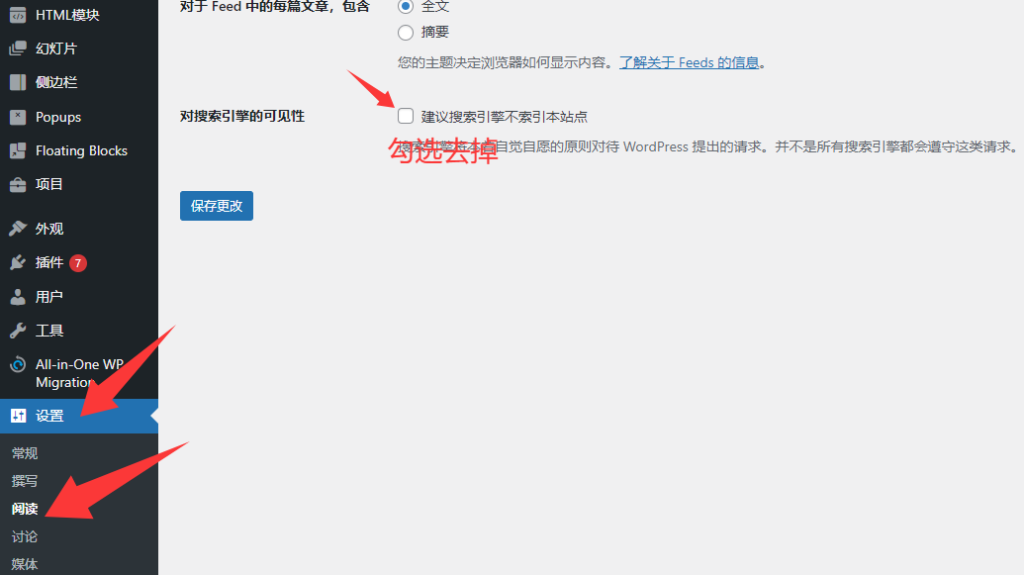
In the website backend: Settings → Reading → Search engine visibility, make sure the checkbox is unchecked, as shown below
Second: Check your Sitemap URL
Click here to view the tutorial
Third: Go to Google Search Console
Enter the Google Console dashboard,https://search.google.com/search-console/
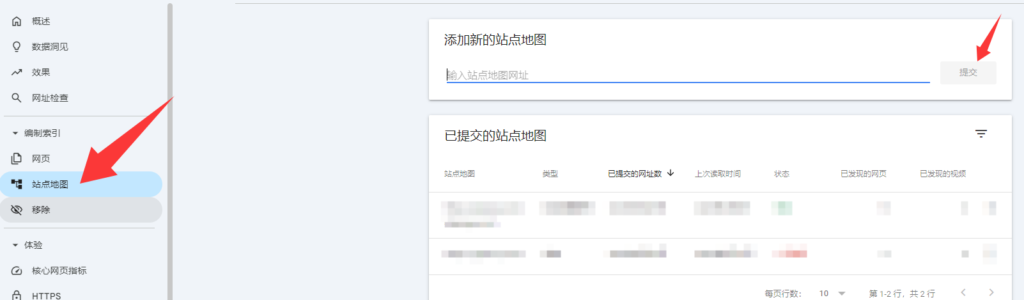
Find the Sitemaps tab, fill in and submit the Sitemap URL
Wait patiently for processing; generally, it can be found on Google within 2-3 days.
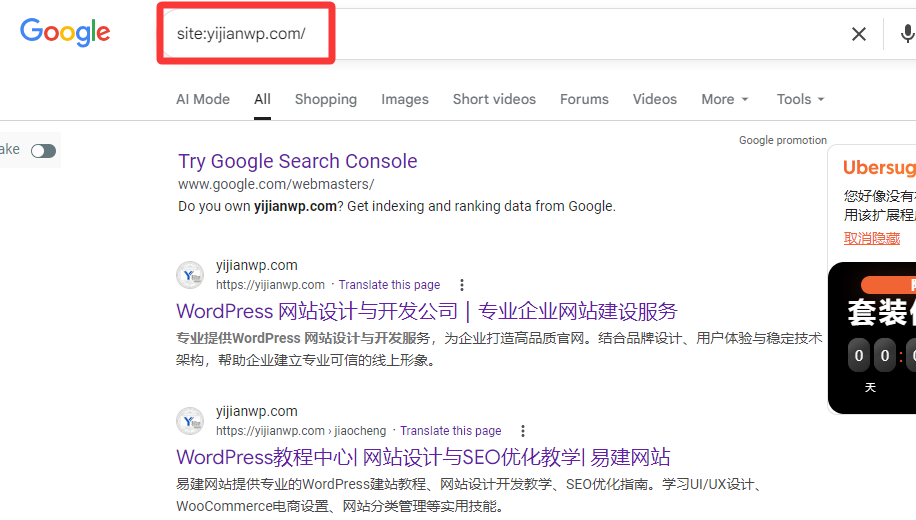
How to check how many pages of your website are indexed by Google?
Directly enter in the Google search box: site:your domain name